As a startup founder, your daily schedule is less of a structured calendar and more of a shifting puzzle. One hour you’re pitching to investors, the next you’re reviewing a pull request, and by the evening you’re trying to figure out why your landing page conversion dropped by 2%.
When you’re context-switching this heavily, personal productivity isn’t just about “getting things done”—it’s about survival.
We’ve all been there: you spend an entire weekend building the “perfect” productivity ecosystem in Notion or configuring intricate workflows in Jira, only to realize a week later that you’re spending more time maintaining the system than actually shipping product. We at co-Found.xyz talk to dozens of early-stage builders every month, and we do see a recurring trap: founders over-engineering their productivity tools instead of focusing on pure execution.
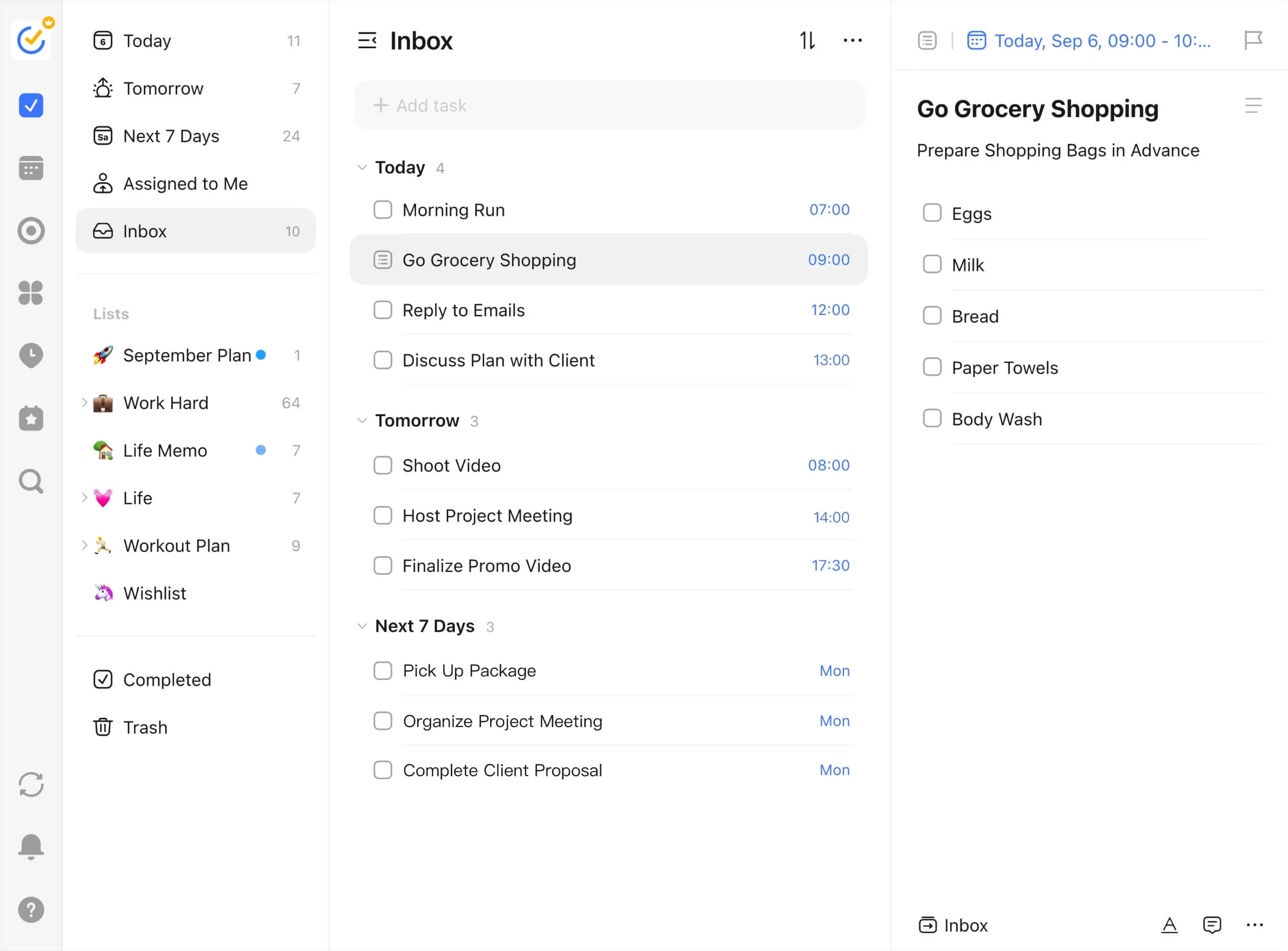
If you are looking for a tool that cuts through the noise and just lets you execute, you need to look at TickTick.
We have been tracking its evolution for a while now, and honestly, it has quietly become the ultimate Swiss Army knife for founder productivity. Here is why it deserves a spot in your tech stack.
1. The Death of the “Three-App System”
Most productivity setups require you to stitch together a task manager (like Todoist), a time-blocking calendar (like Google Calendar), and a focus timer.
TickTick’s biggest superpower is that it combines all three natively. You can capture a task, drag and drop it directly onto a built-in calendar view to time-block your day, and trigger a Pomodoro timer on that exact task without ever switching tabs. For a founder, reducing this micro-friction saves an immense amount of cognitive load.
2. Natural Language Input That Keeps Up with Your Brain
When an idea hits you during a team sync or a coffee run, you have about a 30-second window to capture it before it’s replaced by the next fire you have to put out.
TickTick’s natural language processing is incredibly fast. Typing “Review marketing copy tomorrow at 4pm #marketing” instantly creates the task, parses the date and time, and tags it correctly. You don’t touch your mouse. You don’t click dropdowns. You just dump it from your brain and move on.
3. Native Eisenhower Matrix for Ruthless Prioritization
Everything feels urgent when it’s your company. But if everything is a priority, nothing is.
TickTick features a built-in Eisenhower Matrix view (Urgent/Important quadrant). It forces you to categorize your tasks visually. Are you spending too much time on Urgent but Not Important fires? Drag them out. It’s a simple, visual reality check that keeps you aligned on strategic growth rather than just busywork.
4. Cross-Platform Speed
A lot of modern productivity apps are built on Electron or web wrappers that take five seconds to load on a mobile device. If an app takes too long to open, you won’t use it to capture quick thoughts. TickTick’s desktop and mobile apps are incredibly lightweight and sync near-instantly. Whether you’re on your laptop or running between meetings with your phone, the UX is frictionless.
The Realist Verdict
Let’s be clear: TickTick isn’t a project management tool for your engineering team—keep using Jira, Linear, or GitHub Issues for that.
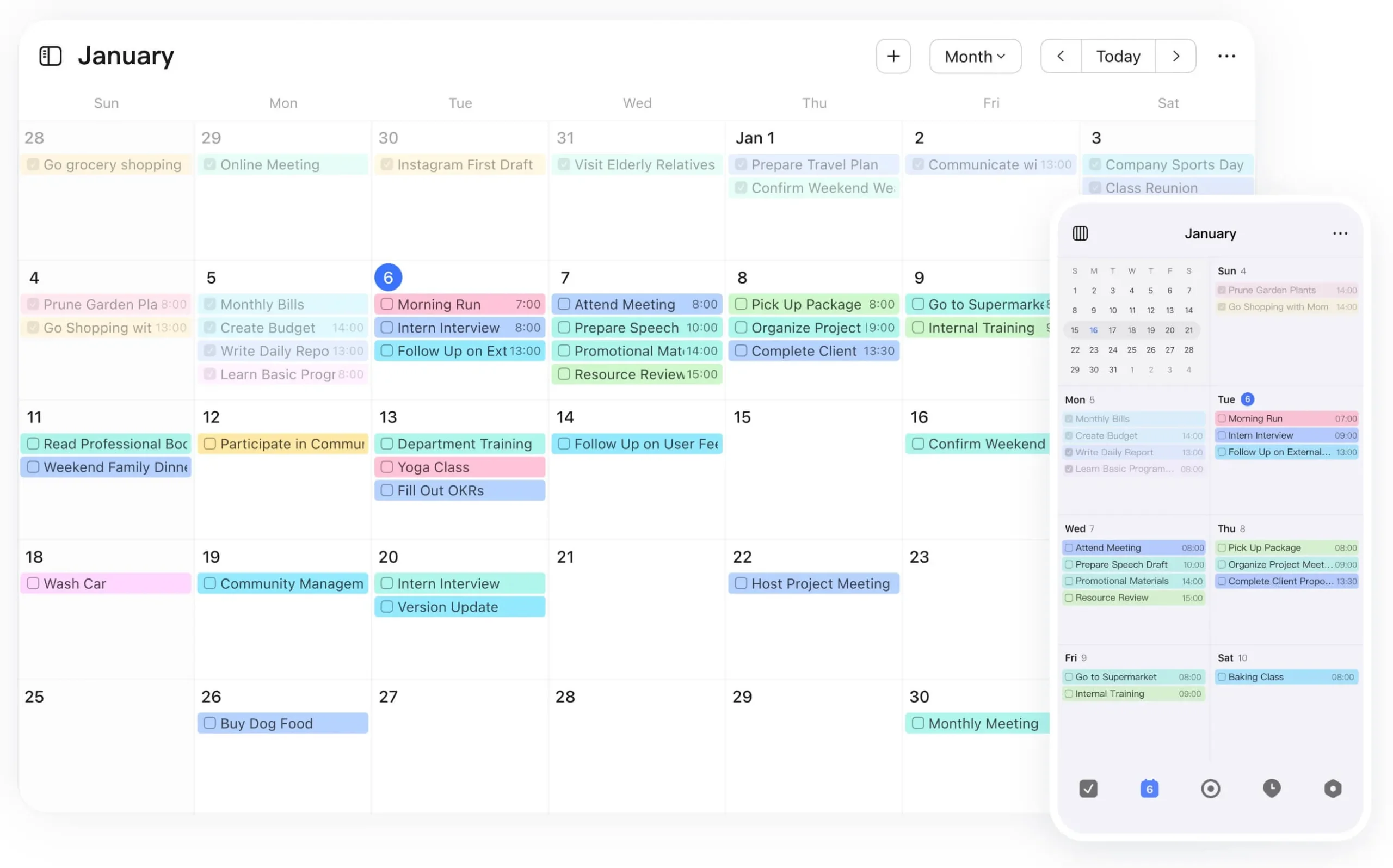
Instead, look at TickTick as your personal command center. It’s the place where you manage your executive function. It’s where you track the habits that keep you sane (like working out or drinking water), block out deep-work time to build your deck, and keep a running log of things you need to delegate.
We at co-Found.xyz firmly believe that the best tool is the one that gets out of your way. TickTick doesn’t ask you to become a database architect just to write down a to-do list. It just helps you clear your head, structure your day, and get to work.
In basic plan you limited to 9 lists, 99 tasks/list, 19 subtasks/task, 5 habits, 2 reminders/task, 1 attachment/file upload per day and no calendar. You might find that comfortable. But if you plan to upgrade to premium, which is reasonable priced, specially if paid yearly (36USD) – be sure to grab that 3 day welcome offer about 16USD which is bargain.
What does your personal productivity stack look like right now? Are you trapped in the Notion rabbit hole, or have you found a setup that actually lets you ship faster? Drop your thoughts in the comments below.